Ultimate Guide: Real-Time Birdwatching and Sharing for Retirees
Discover the complete guide to effortless, real-time birdwatching with smart feeders for retirees. Learn how to share moments with family—easy, accessible, and heartwarming.

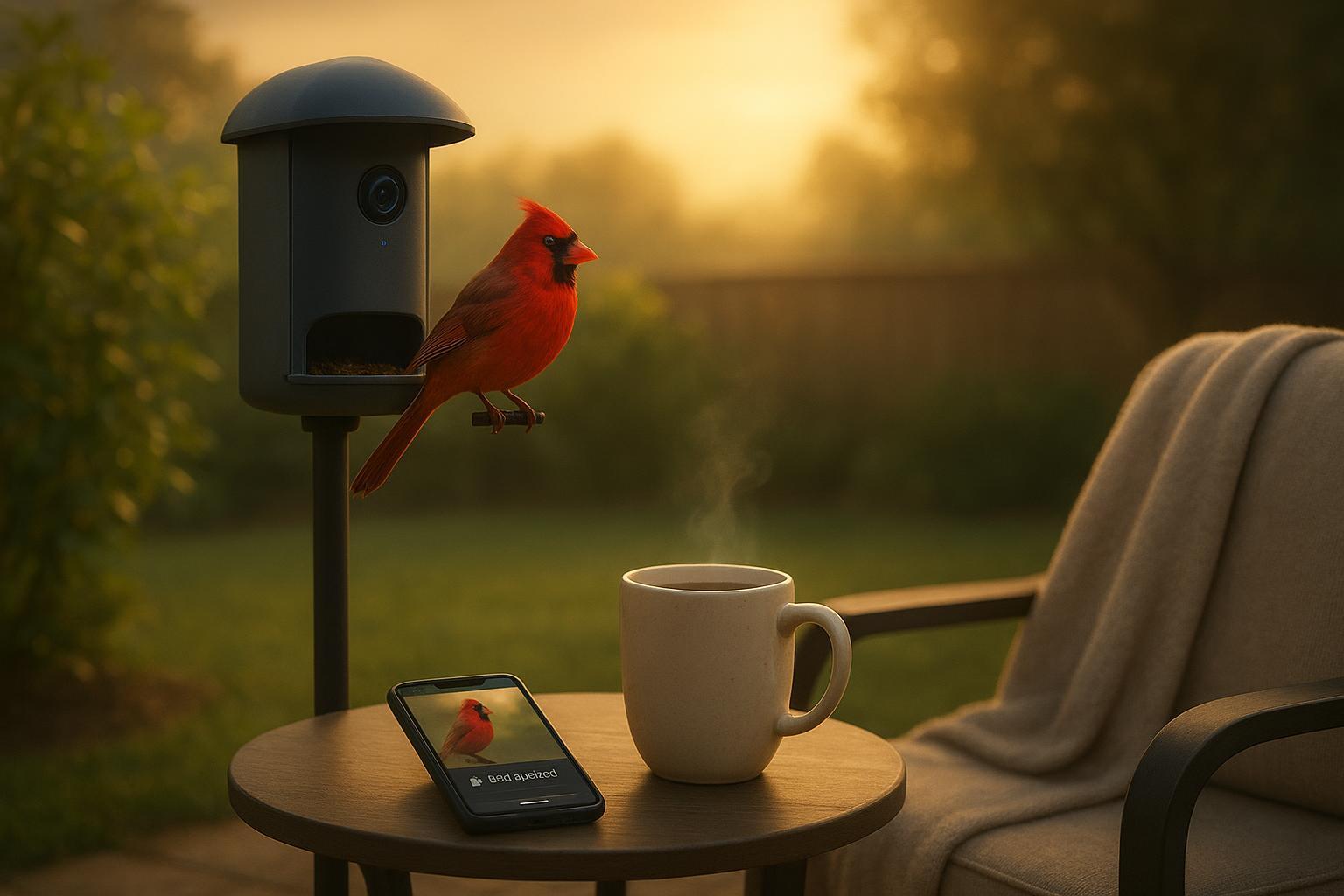
It starts with a small sound—like a polite knock on a quiet morning. Helen, a retired teacher, wraps both hands around her warm mug and glances at her phone. “Visitor at the feeder,” the screen says. A red cardinal tilts its head on the perch outside, and—without anyone having to stand in the cold—Helen is already there, watching. Two taps later, her granddaughter Maya is watching too from three states away. A tiny moment, shared in real time, becomes the best part of their day.
Key takeaways
A smart bird feeder can provide gentle companionship by making bird visits easy to see, save, and share—without complicated steps.
Real-time alerts feel like a friendly doorbell, letting you catch visitors as they arrive and invite family to join.
With a few accessibility and privacy tweaks (larger text, clear contrast, guest-only sharing), the experience stays simple and confidence-boosting.
Chapter 1: Meet the Morning Companion
On Helen’s patio, the feeder sits where the sun lands first. She doesn’t chase birds; they come to her. Think of a smart bird feeder like a regular feeder with an extra set of eyes: a small camera and an app that lets you see who’s visiting, even if you’re in the kitchen or on the couch. When a bird lands, your phone can nudge you—gently—so you don’t miss the moment.
For many older adults, the desire isn’t gadgets for gadgets’ sake. It’s a calm routine that fits easily into the day. Surveys show older adults do adopt helpful tech but value clarity and control; common barriers include privacy and setup concerns, along with ease of use. AARP notes older adults’ interest is strong while calling out privacy and simplicity as top needs in its 2024–2025 research series; see the plain-language overview in the AARP Public Policy Institute’s 2025 trends summary: the report highlights adoption alongside barriers such as privacy and setup support (AARP 2025 Technology Trends).
Chapter 2: Unboxing and Simple Setup (as lived experience)
Helen opens the box at the kitchen table. The parts are sturdy, the instructions short. She follows the on-screen prompts: plug in, power on, add device in the app, and stand near the camera for the first pairing. Like many home devices, the feeder camera joins the 2.4 GHz Wi‑Fi band (it reaches farther in backyards than 5 GHz). She enters her home Wi‑Fi name and password, waits a minute, and sees the live view.
If you prefer a reference while you go, bookmark a concise “getting started” guide for step-by-step pictures. The same hub usually links to a user manual and short videos. For Birdfy devices, a clear walkthrough lives in the feeder section’s Getting Started hub; the overview includes pairing steps and a link to the manual for later care and settings (Birdfy Feeder—Getting Started; Birdfy User Manual hub).
Accessibility helps from the start: increase your phone’s text size so labels are easier to read; choose a high-contrast theme if your device offers it; and keep the camera at a comfortable working height when installing. WCAG 2.2, a widely used accessibility standard, recommends sufficient contrast and large touch targets (for example, at least 24×24 CSS pixels) to support low vision and reduced dexterity—good reminders when choosing apps and adjusting settings (W3C WCAG 2.2 overview).
Chapter 3: The First Real-Time Alert
Late that afternoon, a soft chime on Helen’s phone. She smiles—it’s the feeder’s alert. Think of alerts as a friendly doorbell for your backyard. Tap once, and the live image fills the screen: a Carolina wren, tiny and busy, hops along the rim.
Helen doesn’t want constant pings, so she sets notifications to something calm. Many smart feeders offer filters or frequency controls—limiting how often alerts arrive, or focusing on specific visitors. If you’re using Birdfy, the app’s Notification settings describe options such as Smart Push (gentle frequency limits), species whitelists, and Do Not Disturb windows; there’s also a note to ensure phone-level notifications are allowed so the feeder can actually reach you (Birdfy Feeder FAQ—Notifications).
Chapter 4: Sharing the Moment with a Grandchild (a simple, real-life flow)
Disclosure: Birdfy is our product.
That evening, Helen wants to show Maya the wren in real time the next time it visits. In the app, she opens the device’s settings and uses the built-in share option to invite Maya’s account. Shared guests can watch the live view and saved clips, but they can’t change Helen’s settings. That keeps things simple and safe for both of them. The first time Maya joins, they laugh at a squirrel photobombing the frame, and then they watch a blue jay flash across like a comet.
For a quick primer on how sharing works in the Birdfy app—where to find the Share button, what guests can see, and how to revoke access—see the short guide in the app documentation; it explains the guest, view-only nature of shared access so owners keep control (Birdfy app introduction—sharing overview; also see the General FAQs on sharing and permissions).
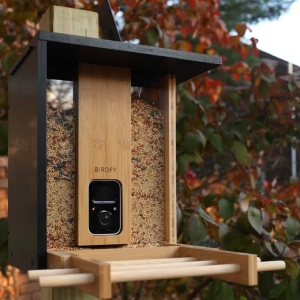
Prefer to compare options? Other smart feeders can offer similar basics. Look for clear live video, customizable alerts, straightforward sharing with guest permissions, weather resistance, and an app with readable text and large touch targets.
Chapter 5: Comfort Features for Older Eyes and Hands
Helen enlarges text on her phone and places the app’s most-used buttons—Live, Gallery, Share—on the bottom of the screen where her thumb naturally rests. WCAG 2.2 highlights a few practical touchstones: maintain readable contrast (4.5:1 for regular text), allow text resizing up to 200%, let content reflow without sideways scrolling, and keep target sizes comfortably large. These principles make any app easier to use, whether hands are a bit stiff in winter or eyes prefer bolder text (W3C—Contrast and Target Size in WCAG 2.2). Usability researchers also recommend plain language and predictable navigation for older adults—clear labels and calm motion reduce friction (Nielsen Norman Group on testing with older adults).
Quick comfort tips Helen likes:
Increase text size at the phone level; the app should respect it.
Use a high-contrast mode or darker text on light backgrounds.
Place the feeder’s most-used shortcuts on the home screen so they’re one tap away.
Chapter 6: Backyard Tips That Make Visits More Frequent
Companionship grows when birds feel welcome. Placement matters: Audubon suggests placing feeders either within about 3 feet of windows or more than 30 feet away to reduce collision risks, and ideally a few strides from bushes that give birds cover while keeping squirrels at bay. Baffles on poles at roughly 4–5 feet can help keep acrobatic raiders from reaching the seed (Audubon—bird-friendly home tips; see also Audubon—deterring squirrels).
Seed choices also shape who drops by. Black oil sunflower draws many species; Nyjer appeals to finches; safflower is sometimes less attractive to squirrels. Choose high-quality blends and skip filler-heavy mixes so birds don’t kick away the bits they won’t eat (Audubon—common birdseed blends explained).
Cleanliness counts. The CDC recommends cleaning bird feeders regularly—monthly or more often if they’re dirty—to reduce disease risks. A common method is a 1:9 bleach solution for about 10 minutes, followed by thorough rinsing and drying. Wear gloves, wash hands, and avoid cleaning near food-prep areas (CDC—wildlife hygiene guidance).
Chapter 7: Privacy, Safety, and Peace of Mind
When sharing access with family, Helen uses guest access so Maya can view but not change settings. This approach mirrors broader privacy guidance for home cameras: prefer guest or limited accounts over full administrator access, and review the device maker’s data practices. Consumer Reports’ explainers on home cameras emphasize permissions and data security as sensible guardrails for peace of mind (Consumer Reports—guest access and privacy context).
Two more privacy habits go a long way:
Use a strong, unique password for your feeder account and your email.
Confirm app-level notification permissions and review what is saved to the cloud versus locally in the app’s settings.
Chapter 8: Wi‑Fi Pairing Troubleshooting (When the Router Is Picky)
Most smart feeders prefer 2.4 GHz Wi‑Fi for range. If pairing stalls, the issue is often the router, not you. Common fixes include separating the 2.4 GHz and 5 GHz networks (so your phone can join the 2.4 GHz band during setup), ensuring WPA2 security is enabled, and relaxing certain advanced options temporarily, such as setting Protected Management Frames (PMF) to “capable” instead of “mandatory.” For Birdfy owners, a friendly overview explains why 2.4 GHz matters and how to nudge your router during onboarding (Birdfy—2.4 GHz Wi‑Fi explainer). Router vendors also publish step-by-step band-separation tips; your provider’s support page will usually have them.
Chapter 9: A Quick Word on Togetherness (Without Overpromising)
Why do these small, real-time visits feel so big? Partly because they’re shared. Helen and Maya found a rhythm: a quick text—“Cardinal!”—and a few minutes of live viewing together. Research teams exploring grandparent–grandchild video calls have observed that simple, structured activities over a few weeks can help generations feel closer, without claiming medical effects. One such project from Lafayette College (2024) used recurring Zoom sessions and pre/post surveys to study how families connect across distance—useful framing for how shared, real-time moments may support family bonds (Lafayette College—grandparents, grandkids, and Zoom).
Closing: A Daily Thread of Companionship
Helen still starts most mornings the same way: a comfortable chair, warm coffee, and an eye on the feeder. Some days it’s quiet. Other days, it’s a parade. The difference now is that the best moments don’t slip by—and they don’t stay private unless she wants them to. One friendly alert, one shared link, and a small scene in the backyard becomes a memory made together. Want to try it this week—just one shared visit—and see how it feels?
Ready to Get Started?
Join thousands of readers and get the latest content and insights in robot manufacturing.
Join Now